
TickTick
A todo app that quietly bundles a calendar, habit tracker and Pomodoro timer
Gallery
About TickTick
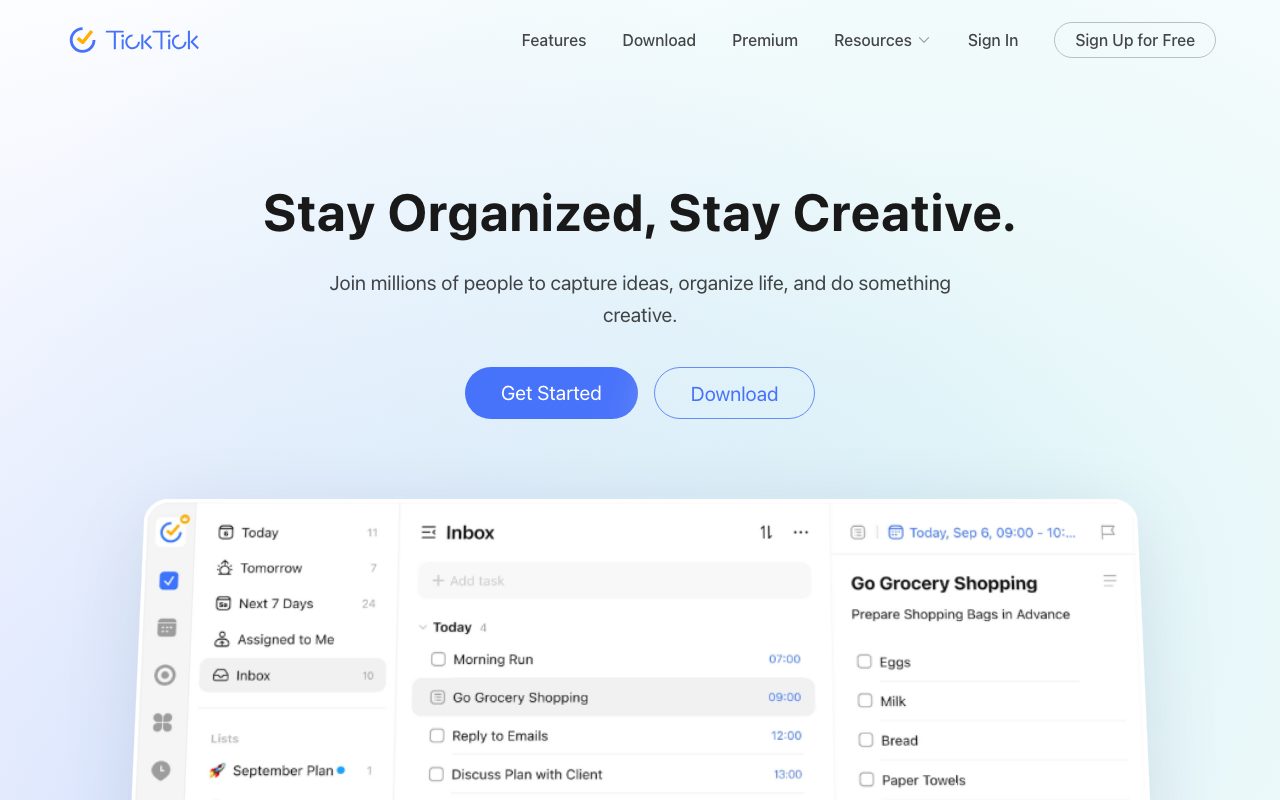
TickTick is a cross-platform task and habit manager that competes head to head with Todoist. The app runs on iOS, Android, Mac, Windows, web, Apple Watch, and even some smart speakers. Its long-term audience is people who want one place for tasks, habits, calendar, and a Pomodoro timer.
The pitch is breadth without bloat. TickTick covers more surface than the typical to-do list, but it's still snappy and approachable on any device. Power users love how much fits behind the simple interface.
What TickTick actually does
The core is a task manager with lists, tags, priorities, due dates, reminders, and recurring tasks. You can group lists into folders, share lists with collaborators, and assign tasks. Projects support kanban, list, and timeline views.
Around the core, TickTick adds a calendar view, habit tracker, Pomodoro focus timer, eat the frog priority view, and an Eisenhower matrix. It's a productivity suite squeezed into one app.
Who TickTick is built for
TickTick is built for personal productivity nerds, students, professionals, and small teams. The audience overlaps heavily with Todoist, Things, and TickTick's own niche of habit-and-task power users.
It's not really aimed at large project teams. There are basic collaboration features, but TickTick remains a personal tool first.
TickTick pricing
TickTick has a generous free tier covering most personal use. The paid Premium plan unlocks the calendar view, advanced filters, more reminders, and unlimited subtasks. Pricing is friendly compared to bigger productivity apps.
Compared to TickTick alternatives, the value at the Premium price point is hard to match.
Features that define TickTick
Natural language input parses dates and times from how you type. "Pay rent every 1st at 9am" creates the task with the correct repeat. The parser is solid across phrasings.
The Pomodoro timer is built in with white noise, focus sounds, and statistics. Productivity nerds use it to block distraction without leaving the app. Habits track recurring goals separately from one-shot tasks.
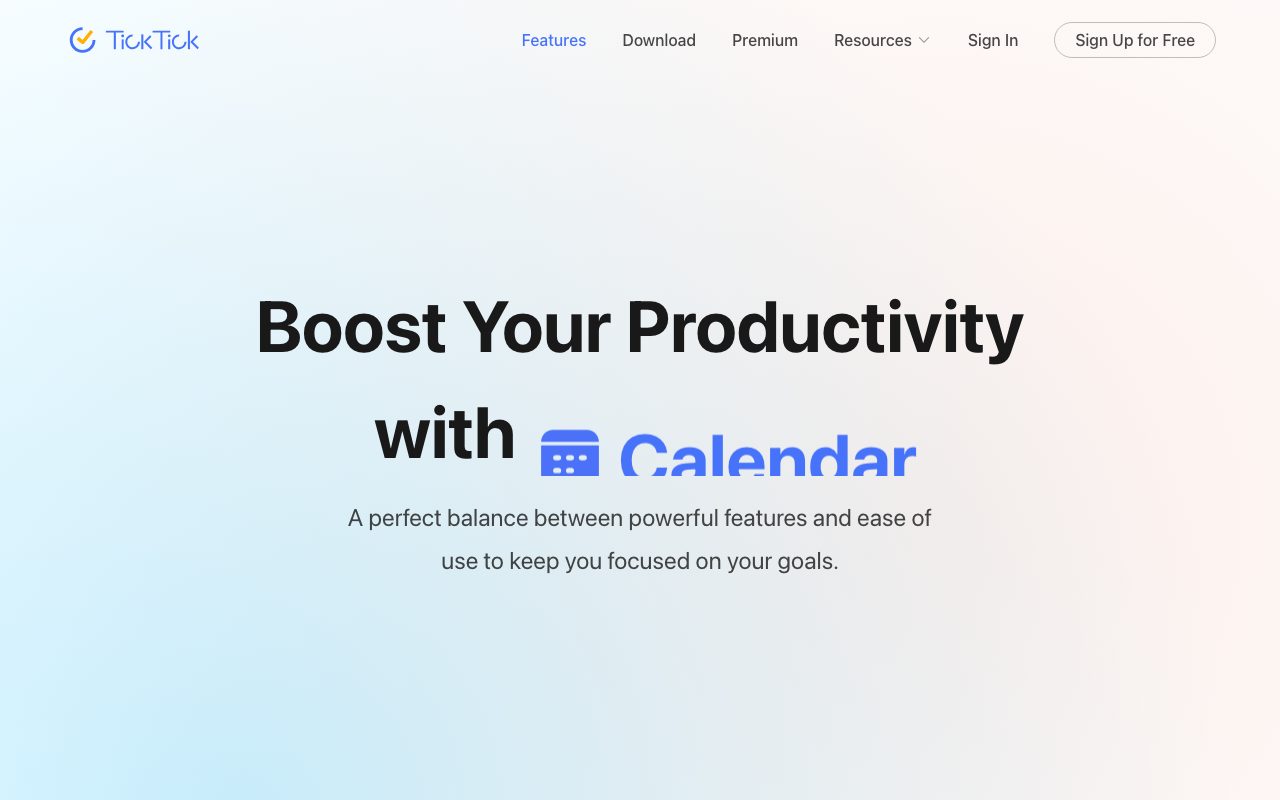
Calendar view shows tasks alongside imported Google or Outlook calendar events. Smart lists, custom filters, and sorting by date, priority, or tag round out the power features.
TickTick is the productivity app that quietly does almost everything. People who try it tend to stick with it for years.
Tradeoffs and rough edges
The breadth can feel overwhelming. New users sometimes find the menus busier than Todoist's cleaner surface. Spending an evening configuring TickTick is normal.
Team collaboration is light. Sharing works, but TickTick isn't trying to compete with Asana or ClickUp on multi-person projects.
TickTick vs alternatives
The classic comparisons are TickTick versus Todoist, Things 3, and Microsoft To Do. Todoist is the polished alternative. Things 3 is a beautiful Mac-only one-time-purchase. Microsoft To Do is free and tied to the Microsoft ecosystem.
TickTick's edge is breadth and price. See TickTick vs Todoist and the best to-do list apps.
Common questions about TickTick
Is TickTick free? The free tier is real and useful. Premium adds calendar view and advanced features.
Does TickTick have a Pomodoro timer? Yes, with sounds and stats.
Does TickTick sync across devices? Yes, on every supported platform.
Bottom line on TickTick
TickTick is the most under-rated cross-platform productivity app. It's a strong daily driver for almost anyone managing personal tasks. Browse tools for students for adjacent options.
If you're tired of Todoist or want a habit tracker plus tasks in one app, install TickTick today.
TickTick workflows
Daily planners use the calendar view to drag tasks onto specific time slots. The combination of tasks plus calendar is rare at this price point. Power users skip the standalone calendar app entirely.
Habit trackers fit the GTD-adjacent crowd well. Track meditation, exercise, reading, and creative work in one view. Streaks visualize consistency over weeks and months.
Switching to TickTick
Importing from Todoist, Wunderlist, or Microsoft To Do is supported. CSV import handles most other tools. The harder part is rebuilding habits and rituals around the new app, not migrating the data.
The first week often feels noisy because TickTick has more visible options than minimal tools. Hide the features you don't use, and the app calms down. Most users find their preferred view configuration within a few days.
Tutorial / Demo
Key Features
- Tasks with subtasks, tags and priorities
- Built-in calendar that pulls in iCal feeds
- Habit tracker with streaks
- Pomodoro timer with focus sounds
- Eisenhower matrix view
- Smart parsing for due dates
Pros & Cons
What we like
- One app instead of four
- Affordable annual subscription
- Cross-platform with widgets
- Calendar overlay is genuinely useful
Room for improvement
- UI is busier than minimalists prefer
- Free plan limits some power features
- Habit tracker is good but not best in class
Frequently Asked Questions
Does TickTick have a free tier?
TickTick vs Todoist, which is better?
Does TickTick sync with Google Calendar?
Is TickTick available on every platform?
Can I share lists with my partner or team?
Best For
Featured in
Tags
Alternatives to TickTick
View allTodoist
A friendly, fast personal task manager that grows up gracefully into a team tool

Sunsama
A daily planner that makes you slow down and pick what actually fits today
Motion
An AI calendar that automatically schedules your tasks around your meetings
Akiflow
A keyboard-first daily planner that pulls every notification into one inbox
Our take
Tool Index Editorial · May 2026· 4.8/5
TickTick is the kind of tool you adopt when you want a todo app that quietly bundles a calendar, habit tracker and pomodoro timer.
The standout points: One app instead of four, Affordable annual subscription, and Cross-platform with widgets. The friction points: UI is busier than minimalists prefer and Free plan limits some power features.
Bottom line: pick TickTick when you need personal productivity all-in-one; look elsewhere if uI is busier than minimalists prefer would be a dealbreaker.
Editorial opinion from the Tool Index team, written from the public product pages. Not a user review.
Reviews (10)
Honest take after a couple of cycles
Took a few weeks for TickTick to click, then it stuck. The biggest win has been cross-platform with widgets. Got real value out of built-in calendar that pulls in iCal feeds.
Pros
- Calendar overlay is genuinely useful
- Cross-platform with widgets
- One app instead of four
Worth the price of admission
TickTick solves a real problem for me, but it's not magic. The thing I keep coming back to: calendar overlay is genuinely useful. Their take on pomodoro timer with focus sounds is solid. Main use case: students balancing classes, habits and study sessions. Easy yes for anyone weighing the same trade-offs.
Pulled its weight from week one
Adopted TickTick for one project, ended up using it for more. Real selling point: affordable annual subscription. Their take on habit tracker with streaks is solid. One thing that bugs me: habit tracker is good but not best in class.
Pros
- Cross-platform with widgets
Surprised how much we use this
Six months of using TickTick, here's what holds up. What stands out is how one app instead of four. Pomodoro timer with focus sounds works the way you'd hope. Worth the price for what I get out of it.
Pros
- Affordable annual subscription
- Calendar overlay is genuinely useful
- One app instead of four
Cancelled after a few weeks
The pitch for TickTick sounded too good to be true. Mostly true. What stands out is how cross-platform with widgets.
Pros
- Calendar overlay is genuinely useful
Pulled its weight from week one
TickTick is one of those tools you stop noticing because it just works. The biggest win has been affordable annual subscription. The tasks with subtasks, tags and priorities is more useful than I expected. Hard to imagine going back to my previous setup.
Pros
- One app instead of four
- Calendar overlay is genuinely useful
Hit the TickTick sweet spot
Hadn't planned on switching, but TickTick was hard to ignore. Real selling point: one app instead of four. It fits well for personal productivity all-in-one.
Pros
- Affordable annual subscription
- One app instead of four
- Calendar overlay is genuinely useful
Bought it for one feature, stayed for ten
Hadn't planned on switching, but TickTick was hard to ignore. Genuine strength: cross-platform with widgets. Got real value out of habit tracker with streaks. It fits well for anyone who wants Pomodoro and tasks together.
Worth the price of admission
TickTick has quietly become part of my daily flow. Where it really wins is affordable annual subscription. Hard to imagine going back to my previous setup.
Pros
- Calendar overlay is genuinely useful
- One app instead of four
The kind of tool you forget you're paying for
TickTick has quietly become part of my daily flow. Genuine strength: affordable annual subscription. Glad I made the switch.
Badge builder
Add TickTick to your website
Choose a badge style and size, preview it here, then copy the generated HTML. Badge images are self-contained SVGs and do not require an external script.

<a href="https://toolindex.net/tools/ticktick?ref=badge" target="_blank" rel="noopener">
  <img src="https://toolindex.net/badge/ticktick/medium.svg" alt="TickTick - Listed on Tool Index" width="180" height="50" />
</a>How to use the badge
- 1. Pick the style, size, and theme that fit your layout.
- 2. Copy the generated HTML from the code block.
- 3. Paste it into your footer, homepage, or press page.
Standard badge available
The standard listing badge is available now. Score and circle badges are limited to tools currently ranked in the top 10 of a category.
Badge clicks return visitors to this profile with a referral tag so the source remains identifiable.
Related Tools
Confluence
Atlassian's long-running team wiki that anchors many enterprise knowledge stacks
Asana
Project management for teams that live in projects, tasks and dependencies
Kevin Gabeci Toolkits
Seven AI toolkits for writing books, making music, cutting video, and building agents.

Logseq
An open-source outliner notes app where every bullet is a first-class block
Work on TickTick? Request listing access or correction