
Unvibe
Understand the AI-generated code you need to own.
Gallery
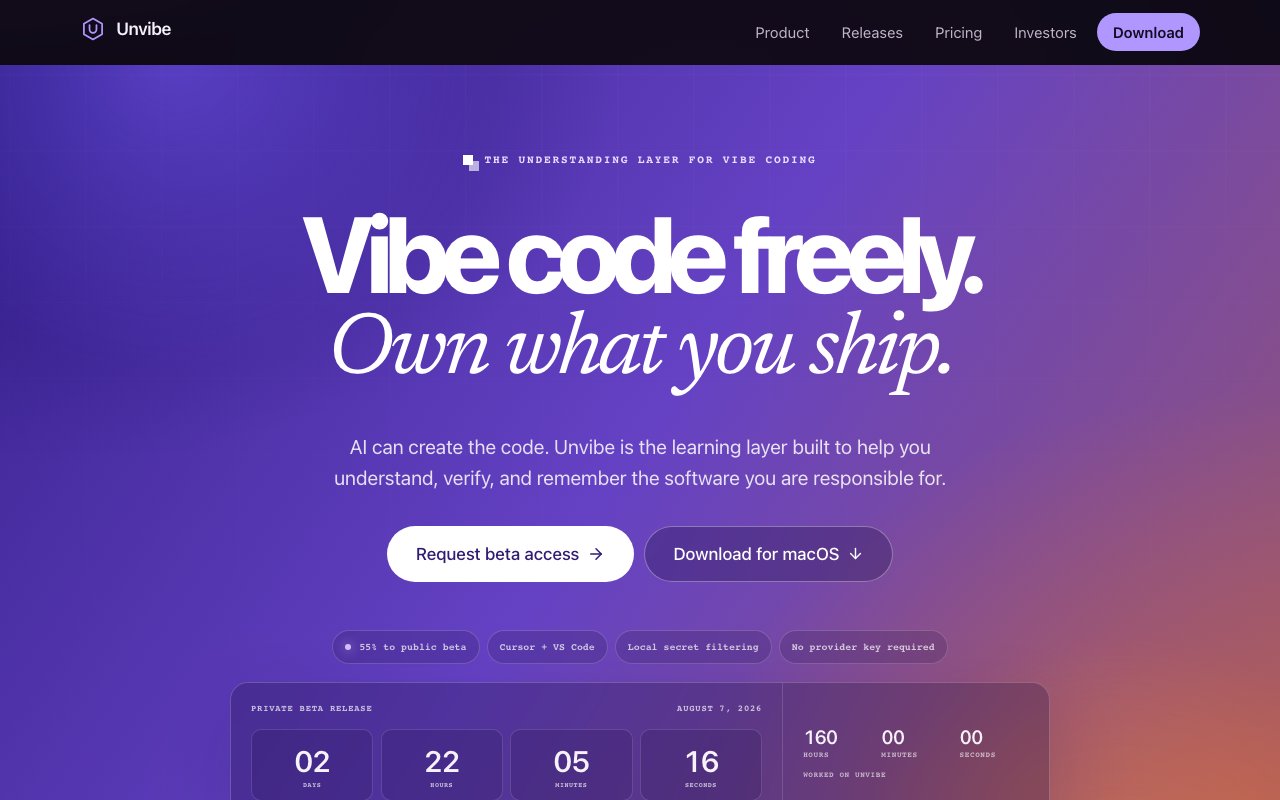
About Unvibe
Unvibe is a desktop application for Mac that helps developers understand AI-generated code rather than simply generating more of it. As AI coding assistants become ubiquitous, a growing number of developers find themselves shipping code they don't fully comprehend. The problem isn't capability but understanding, where developers can produce working software faster than ever but often accumulate technical debt in the form of code they can't confidently maintain, debug, or extend. Unvibe addresses this gap by functioning as an on-demand learning layer that sits alongside existing editors. When a developer encounters unfamiliar code, they select the snippet and press a keyboard shortcut to receive a focused explanation without switching contexts, opening documentation in separate tabs, or breaking their workflow to search for answers.
The tool works by analyzing selected code and generating explanations calibrated to the user's chosen depth level. Explanations can range from beginner-friendly analogies that translate complex concepts into everyday language, all the way to expert-level discussions of design patterns, architectural decisions, performance implications, and implementation tradeoffs. This flexibility means a junior developer learning their first codebase can get accessible overviews that build foundational understanding, while a senior engineer investigating unfamiliar libraries can dive into nuanced technical details without wading through basic explanations. The scope of analysis is equally flexible, covering anything from a single line of code to entire functions, files, folders, Git changes, or complete repositories. Explanations persist in a sidebar during work sessions, allowing developers to reference them as needed without losing context or cluttering their workspace with additional windows.
Beyond instant explanations, Unvibe includes features designed for longer-term learning and knowledge retention. Developers can save notes alongside explanations, building a personal reference library tied to actual code they've encountered. The tool tracks concepts across different projects, helping users recognize patterns and reinforce understanding over time. Perhaps most notably, developers can convert entire codebases into study materials, transforming unfamiliar repositories into structured learning resources. This capability proves particularly valuable for teams onboarding new members who need to understand existing systems quickly, or for developers transitioning between projects who want to ramp up systematically rather than learning through scattered trial and error. The cumulative nature of this learning experience means understanding compounds over time rather than evaporating after each coding session.
Privacy considerations factor prominently into Unvibe's design, addressing concerns that often prevent developers from using AI-powered tools with proprietary codebases. The application performs on-device secret filtering before any code is sent to cloud services for analysis. This means sensitive credentials, API keys, database connection strings, and proprietary business logic get stripped out locally rather than relying on cloud providers to handle them appropriately. The tool explicitly avoids surveillance-style approaches like continuous screen recording or OCR monitoring that some productivity tools employ. It operates only when the user actively requests an explanation, giving developers clear control over what gets analyzed. This makes Unvibe more suitable for corporate environments where security teams scrutinize any tool that touches source code, and where blanket bans on AI tools stem from legitimate concerns about data exposure.
The primary audience consists of developers using AI code generation tools like Cursor, GitHub Copilot, Claude Code, or similar assistants. These developers benefit from rapid code generation but often accumulate technical debt in the form of code they don't deeply understand. When something breaks six months later, they find themselves reverse-engineering their own work. Unvibe positions itself as the counterweight to generation speed, ensuring that productivity gains from AI assistance don't come at the cost of genuine comprehension. It's particularly relevant for developers who need to maintain, debug, or extend AI-generated code long after it was written, when the original generation context has been forgotten and the AI assistant doesn't remember the conversation that produced it.
Unvibe currently runs as a Mac application validated primarily against Cursor and VS Code, with planned support for JetBrains IDEs, Claude Code, GitHub web interfaces, and terminal-based workflows. The pricing model follows a freemium structure with a free tier that includes core explanation features, saved learning, and study tools without requiring a credit card or creating friction for evaluation. The Pro tier costs eight dollars per month or seventy-two dollars annually, representing roughly a twenty-five percent savings for yearly subscribers who commit to the tool after trying it. The product is currently in private beta with access granted gradually through a waitlist, so interested developers should sign up early to secure their spot in the rollout queue rather than waiting until public availability.
Featured in
Alternatives to Unvibe

FlexInference
Deadline-aware LLM router that finds cheaper inference inside the time you allow
Turborepo
High-performance build system for JavaScript and TypeScript monorepos

Loops
Modern email platform built for SaaS teams, combining transactional, marketing, and lifecycle messages with a clean API.

Lucide
Open-source icon library, a community-led fork of Feather, with 1,500+ consistent icons and bindings for every major framework.
Reviews (0)
Badge builder
Add Unvibe to your website
Choose a badge style and size, preview it here, then copy the generated HTML. Badge images are self-contained SVGs and do not require an external script.

<a href="https://toolindex.net/tools/unvibe?ref=badge" target="_blank" rel="noopener">
  <img src="https://toolindex.net/badge/unvibe/medium.svg" alt="Unvibe - Listed on Tool Index" width="180" height="50" />
</a>How to use the badge
- 1. Pick the style, size, and theme that fit your layout.
- 2. Copy the generated HTML from the code block.
- 3. Paste it into your footer, homepage, or press page.
Standard badge available
The standard listing badge is available now. Score and circle badges are limited to tools currently ranked in the top 10 of a category.
Badge clicks return visitors to this profile with a referral tag so the source remains identifiable.
Related Tools

Kevin Gabeci
Solo developer building web apps, cozy browser games, and AI creator toolkits.

Coolify
Self-hostable, open source alternative to Heroku and Netlify

Warp
The modern terminal reimagined with AI and collaboration

Bolt.new
Prompt-to-deployed full-stack app inside the browser
Work on Unvibe? Request a listing correction