Capacities
A studio for your mind built on objects rather than pages
Gallery
About Capacities
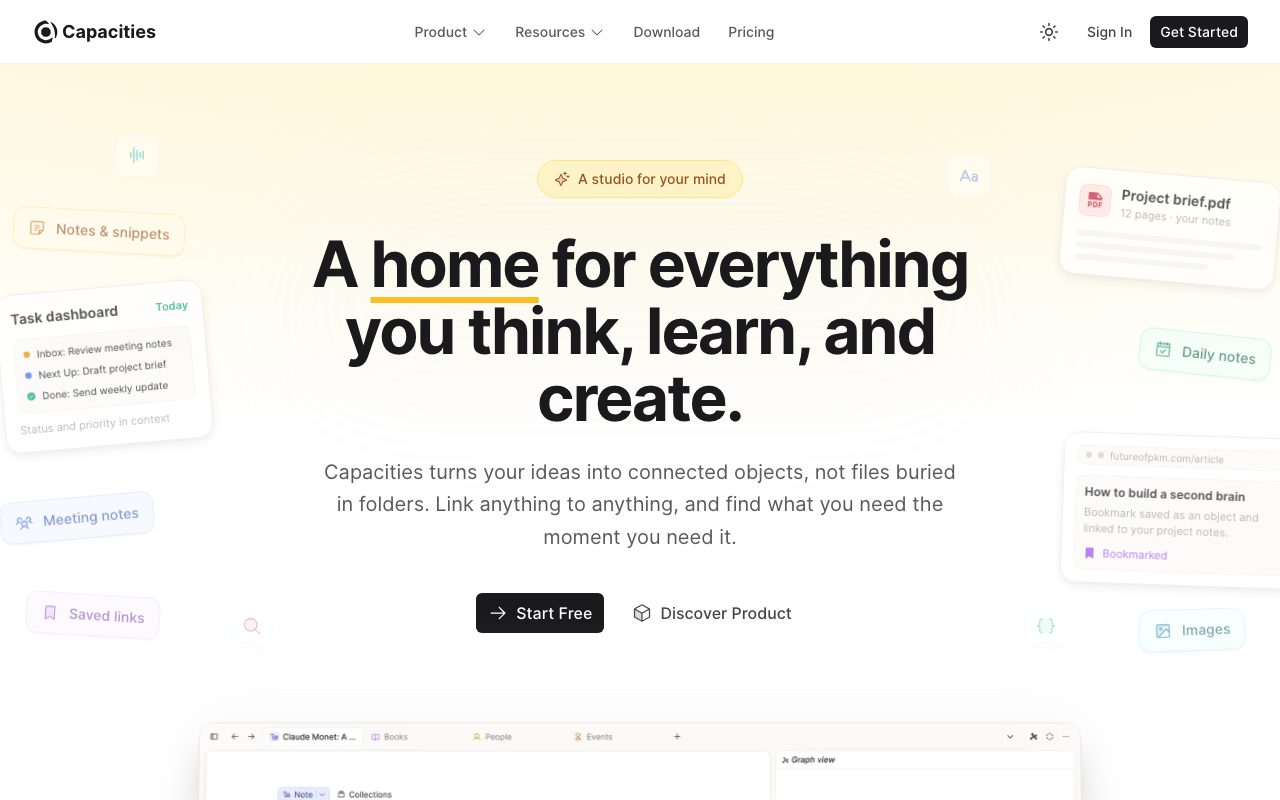
Capacities flips the unit of a notes app from page to object. A book is an object. A person is an object. A meeting is an object. Each object has a type, properties, and links to other objects, like rows in a database that are also writable canvases.
That sounds abstract until you use it for a week and realize you stopped fighting your folder structure. Capacities sits in the same neighborhood as Notion and Obsidian, but the object-first model gives it a different center of gravity.
What Capacities does differently
Most notes apps think in pages. You write a page, you put it in a folder, you maybe link to other pages. Capacities thinks in objects with strong types. When you create something, you pick its type first, and that decides which properties it has.
A "Person" object has a name, a company, a relationship, an avatar. A "Book" object has an author, ISBN, status, and rating. You can define your own types or use the built-in library. Every object you reference automatically backlinks, so your graph builds itself as you write.
The daily note as anchor
Capacities opens to today's daily note by default. You write whatever you're thinking about, and any objects you reference get pulled into the timeline. Over time, the daily note becomes the entry point to everything else, and search plus the graph view become the navigation.
Who Capacities is for
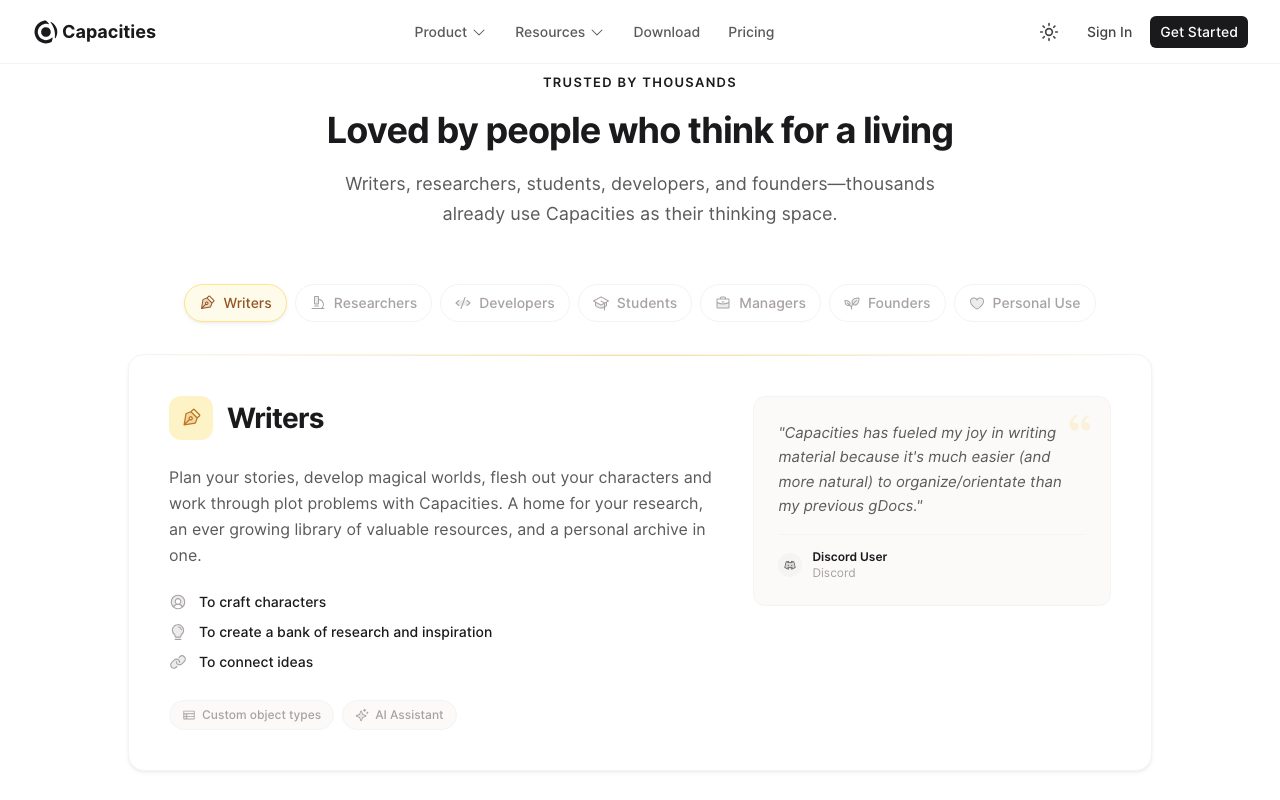
Capacities is built for thinkers who are tired of their notes turning into a junk drawer. Researchers, writers, students, and PKM enthusiasts make up the core base. If you're someone who already runs Obsidian with twelve plugins to fake databases, Capacities gives you that natively.
Capacities isn't ideal for teams. Collaboration is limited, sharing is basic, and there's no real concept of multi-player editing. If you want collaborative docs, look at Notion. Capacities is a single-player thinking tool.
Capacities pricing
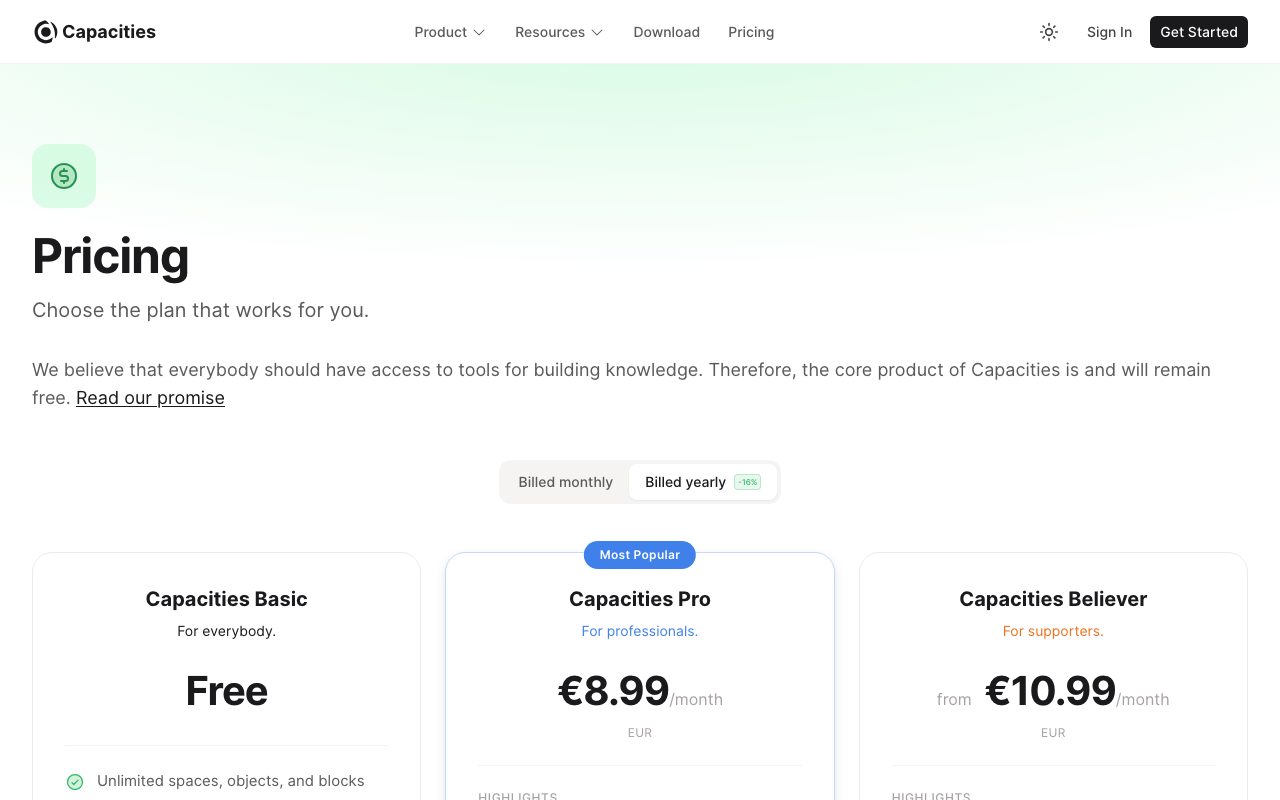
Capacities has a free tier that covers personal use. You get unlimited objects, the full type system, and local storage. The Pro plan runs $11.99 per month or $96 per year and adds AI features, larger file uploads, version history, and real-time sync across devices.
The Believer plan is a one-time payment of around $300 that gives you Pro forever. That option is unusual in SaaS and tells you the team isn't optimizing for monthly recurring revenue at any cost. People who use Capacities tend to like that signal.
Capacities features worth highlighting
Object types in Capacities can have computed properties, custom views, and templates. You can pin frequent types to the sidebar. Tags work alongside types, so you can filter by both axes. The graph view shows your knowledge structure visually.
Capacities supports markdown, slash commands, and a clean editor. Code blocks, math, and embeds work as expected. The AI features include summary generation, question answering across your vault, and writing assistance. They run on top of OpenAI models with reasonable defaults.
Sync and storage
Capacities stores data in a proprietary format on its own cloud, with offline support via local cache. You can export to markdown, but the rich object structure flattens. Obsidian's plain-markdown promise this isn't, but the team has a clear export commitment in their public roadmap.
Tradeoffs to consider
Capacities is opinionated. The object-first model takes a few days to internalize, and some people never click with it. If you want a blank canvas to do whatever, you'll feel constrained. If you want structure that emerges from how you actually think, you'll feel relieved.
Capacities is also younger than the giants. The mobile app exists but lags the desktop. Some integrations you might want, like a robust public API or Zapier hooks, aren't there yet. The team ships steadily but conservatively.
Capacities is the right pick when you've outgrown bullet lists but Notion's database UX feels heavy. Try the free tier for a week before committing.
Capacities vs alternatives
Compared to Notion, Capacities is less flexible but faster to use for personal knowledge. Notion's databases are more powerful, but every Notion database starts as an empty schema. Capacities ships with object types out of the box.
Compared to Obsidian, Capacities is structured where Obsidian is freeform. Obsidian wants you to build your system with plugins. Capacities wants the system to be the system. Compared to Logseq, Capacities is more visual and less outline-driven. See our Notion alternatives guide and best PKM tools roundup.
Bottom line on Capacities
Capacities solves a specific problem: notes apps turn into chaos when you have a lot of them. The object-first model imposes just enough structure to keep things findable without making you feel like you're filing taxes. The result feels closer to how memory actually works.
If Notion feels too heavy and Obsidian feels too DIY, Capacities is the third option. The free tier is generous enough to test honestly. If you're going to use it long-term, the Believer plan is the clear best value.
Capacities object types in practice
The built-in Capacities types cover the obvious nouns: Person, Book, Movie, Place, Idea, Quote, Project, Meeting. Each ships with sensible default properties. You can extend any type with custom properties and computed fields. Most users add a few custom types specific to their work, like Client, Episode, or Lecture.
The trick to making Capacities feel natural is resisting the urge to over-type. Three or four custom types is usually enough. Beyond that, the friction of picking the right type slows you down and the system stops feeling effortless. Start with the built-ins and only add types you genuinely need twice a week.
Property design
Capacities properties can be text, numbers, dates, references to other objects, computed values, and tags. Computed properties are surprisingly useful. A Book object with a "pages read" number and "total pages" can have a computed "percent complete" property that updates automatically.
The relation properties are how the graph builds itself. A Meeting object can have a relation to Person objects (attendees), Project objects (related work), and Idea objects (discussion topics). When you reference any of those inline while writing, the relation populates automatically.
Capacities for research workflows
Researchers and writers tend to settle into a similar Capacities pattern. A Source object captures every paper, book, or article with citation metadata and a summary. Quote objects hold specific extracts with a back-reference to their Source. Idea objects collect your thinking, with relations to relevant Sources and Quotes.
This pattern essentially gives you a Zettelkasten with proper schema. The graph view shows how ideas connect across sources. Search across the typed fields makes finding "every paper about diffusion models referenced in my doctoral chapter" trivial. That kind of structured retrieval is what page-only tools struggle with.
Common Capacities questions
Can I import from Notion or Obsidian? Capacities supports markdown import which captures your text content but not Notion's database structure or Obsidian's plugin-specific formatting. Plan to manually re-architect your knowledge graph during migration. Some users find this useful as a forced cleanup; others find it painful.
How does the AI work? Capacities AI uses OpenAI models behind the scenes. It can summarize, expand, translate, and answer questions across your vault. The "ask Capacities" feature performs vector search across your objects and answers using retrieved context. Quality is good for factual recall and weaker for nuanced reasoning across many objects.
Does Capacities work offline? Yes for reading and writing on devices that have synced recently. Real-time sync requires internet. Local cache means the app stays useful without connectivity, with sync resuming automatically when online.
Capacities long-term considerations
Capacities is venture-backed and growing, which is the typical pattern that creates anxiety about long-term file ownership. The team has publicly committed to a markdown export pathway and a self-hostable archive format. The Believer plan with lifetime access is also a hedge against future pricing changes.
For users prioritizing absolute long-term file ownership, Obsidian or Logseq are the safer picks since the underlying files are plain markdown on disk. Capacities trades some of that for a much better default experience and structured object handling out of the box.
Final take on Capacities
Capacities sits in an interesting position. It's not trying to win the mass market. It's not competing on every Notion feature. It's offering a different philosophy: structured object-first thinking with sensible defaults. For users who fit that philosophy, Capacities is genuinely better than Notion or Obsidian for personal knowledge work.
The product has shipped steadily for years. The team is small but focused. The Believer plan suggests they understand customer alignment better than most VC-backed productivity startups. The community is active and the user feedback consistently mentions feeling more clear-headed using Capacities than other tools.
For knowledge workers, researchers, students, and writers tired of pure freeform notes apps, Capacities offers the structure to keep things findable without the burden of building it yourself. The free tier is honest. The paid tier is fair. The lifetime option is unique. If you're considering personal PKM tooling in 2026 and Notion feels heavy while Obsidian feels DIY, Capacities deserves a serious week of testing.
Tutorial / Demo
Key Features
- Typed objects with properties
- Daily note as a writing canvas
- Backlinks and references
- Tags, queries and collections
- Web clipper and PDF import
- Cross-platform sync
Pros & Cons
What we like
- Object model encourages real structure
- Pleasant typography and reading experience
- Active development and community
- Free plan covers individual use
Room for improvement
- Smaller plugin ecosystem than older tools
- Mobile capture is improving but still limited
- Object-first thinking takes adjustment
Frequently Asked Questions
Does Capacities have a free tier?
What does 'object-based' mean in Capacities?
Capacities vs Notion vs Tana?
Can I use Capacities offline?
Does it have mobile apps?
Best For
Featured in
Tags
Alternatives to Capacities

Notion
All-in-one workspace for notes, docs, and collaboration

Heptabase
Visual knowledge base for research, learning, and connected note cards

Bear
A beautiful Markdown notes app for Apple devices that doubles as a writing tool
Confluence
Atlassian's long-running team wiki that anchors many enterprise knowledge stacks
Our take
Tool Index Editorial · May 2026· 4.6/5
Capacities is the kind of tool you adopt when you want a studio for your mind built on objects rather than pages.
What it actually does well: Object model encourages real structure, Pleasant typography and reading experience, and Active development and community. Where it stumbles: Smaller plugin ecosystem than older tools and Mobile capture is improving but still limited.
In short: Capacities is a strong pick when you need building a personal knowledge base with structure, and a harder sell if smaller plugin ecosystem than older tools would be a dealbreaker.
Editorial opinion from the Tool Index team, written from the public product pages. Not a user review.
Reviews (4)
Maybe in a year when they fix the basics
Capacities isn't perfect but it's the best I've used in this category. Honestly impressed by how free plan covers individual use. Wish they'd address how object-first thinking takes adjustment.
Pros
- Active development and community
Cons
- Smaller plugin ecosystem than older tools
- Mobile capture is improving but still limited
Honest take after a month
Adopted Capacities for one project, ended up using it for more. What stands out is how active development and community. Daily note as a writing canvas works the way you'd hope. Found it works best for replacing Notion for personal use.
Pros
- Free plan covers individual use
- Active development and community
Onboarded the team in a day
Adopted Capacities for one project, ended up using it for more. What stands out is how pleasant typography and reading experience. Would buy again without thinking twice.
Pros
- Object model encourages real structure
- Free plan covers individual use
Best decision this quarter
Capacities solves a real problem for me, but it's not magic. The biggest win has been free plan covers individual use. Web clipper and pdf import works the way you'd hope.
Badge builder
Add Capacities to your website
Choose a badge style and size, preview it here, then copy the generated HTML. Badge images are self-contained SVGs and do not require an external script.

<a href="https://toolindex.net/tools/capacities?ref=badge" target="_blank" rel="noopener">
  <img src="https://toolindex.net/badge/capacities/medium.svg" alt="Capacities - Listed on Tool Index" width="180" height="50" />
</a>How to use the badge
- 1. Pick the style, size, and theme that fit your layout.
- 2. Copy the generated HTML from the code block.
- 3. Paste it into your footer, homepage, or press page.
Standard badge available
The standard listing badge is available now. Score and circle badges are limited to tools currently ranked in the top 10 of a category.
Badge clicks return visitors to this profile with a referral tag so the source remains identifiable.
Related Tools
Confluence
Atlassian's long-running team wiki that anchors many enterprise knowledge stacks
Asana
Project management for teams that live in projects, tasks and dependencies
Kevin Gabeci Toolkits
Seven AI toolkits for writing books, making music, cutting video, and building agents.

SoloDevStack
A solo developer blog built on head-to-head tool comparisons, 580+ posts deep.
Work on Capacities? Request listing access or correction