Gallery
About MCPJam
MCPJam is a testing and evaluation platform for Model Context Protocol servers and agent-facing applications. It gives developers a place to connect a server, call its tools, watch a model use it, and inspect the exchange before users encounter it in ChatGPT, Claude, Cursor, or another client. The focus is broader than checking whether an endpoint responds. MCPJam tests whether a model chooses the right tool, supplies useful arguments, completes a user goal, and behaves consistently across different client environments. It is designed for pre-production work and doesn't instrument live traffic, which keeps the product centered on development, acceptance testing, and release gates.
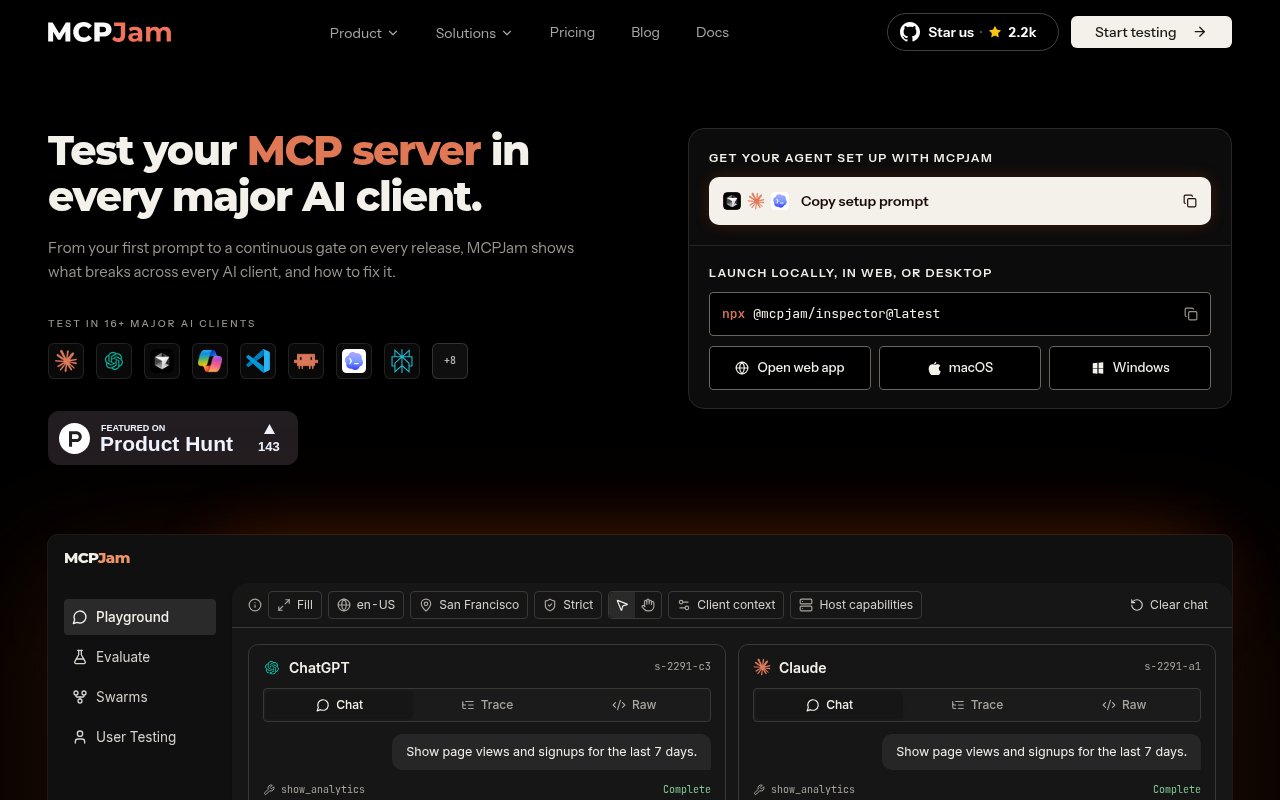
The Inspector is the main starting point. Developers can open a hosted web app, run the package locally with npx, or use desktop builds for macOS and Windows. The web app connects to HTTPS servers, while local and desktop modes can also work with HTTP and local STDIO processes. Once a server is connected, MCPJam exposes its tools, resources, and prompts, lets a developer invoke them directly, and provides model-backed chat for exercising realistic flows. Multiple servers can sit in a project at once. App Builder can render plain results as well as OpenAI Apps SDK and MCP App interfaces, with panels for tool input, output, widget state, globals, content security policy activity, and raw JSON.
Debugging detail is one of MCPJam's strongest parts. A live JSON-RPC logger records the direction, method, timestamp, and full payload of exchanges with a connected server. Trace and raw views make it possible to follow what the client and model actually did instead of reasoning from the final answer alone. The OAuth debugger steps through authorization and helps isolate the stage that failed. Official documentation covers dynamic client registration, client preregistration, and Client ID Metadata Documents, along with protocol-version conformance. The command-line interface adds server probing, capability inspection, OAuth checks, app validation, tool calls, and protocol conformance in a form that scripts or continuous integration jobs can consume. Machine-readable JSON and JUnit reports are available for checks that need to feed another build system.
MCPJam also turns exploratory sessions into repeatable quality checks. Evals score server responses against expected behavior, while cross-client runs show how the same server and prompt behave in different hosts. Swarm uses simulated personas and goals to exercise multi-turn journeys at scale. User Testing provides a shareable, sandboxed chat environment for real testers, and their sessions can feed regression coverage. For automated delivery, the same checks can run headlessly through the CLI or SDK and report into CI. GitHub Actions can block a pull request when protocol, OAuth, or behavioral thresholds fail, which moves MCP testing closer to the release process used for ordinary application code.
The platform suits developers shipping an MCP server, product teams building ChatGPT or MCP apps, and engineering groups that need one quality bar across several AI clients. Shared projects let teammates use the same server configuration, but authorization headers and OAuth tokens are not shared, so each member authenticates separately. The hosted option is convenient for a remote HTTPS endpoint, while local tools are the better fit for STDIO servers, filesystem-based Agent Skills, or work that must stay on a developer machine. This split is worth understanding because not every Inspector capability is available in the browser. The product is also specialized. It tests agent-facing software, not general browser interfaces, conventional REST APIs, or production observability.
The core Inspector, CLI, SDK, local evaluations, and conformance checks are open source and free. The hosted Free plan includes all core testing tools, unlimited seats and projects, 200 credits per day, and 30 days of trace history without a credit card. Credits cover hosted model use and metered testing features, although developers can connect their own model keys for in-session inference. Paid Pro and Team plans raise the credit allowance, retain traces without a time limit, and add support or role controls, while Enterprise adds items such as single sign-on, advanced role controls, audit retention, contractual support, and a data processing agreement. That makes MCPJam usable as a free local development tool, with hosted collaboration and organizational controls available as needs grow.
Key Features
- Local and hosted MCP Inspector
- Cross-client behavior testing
- OAuth flow debugging
- Model-based evaluation suites
- Synthetic user testing swarms
- CI/CD regression gates
Pros & Cons
What we like
- Tests model behavior as well as protocol conformance
- Runs in web, desktop, terminal, and CI environments
- Shows full traces and JSON-RPC payloads
- Open-source core supports free local testing
Room for improvement
- Hosted mode requires HTTPS and cannot connect to STDIO
- Free hosted usage is capped by daily credits
- Team access controls require higher paid plans
- Focused specifically on MCP and agent-facing software
Frequently Asked Questions
What is MCPJam?
Can MCPJam test a local MCP server?
Is MCPJam free?
How is MCPJam different from general AI observability tools?
Best For
Featured in
Alternatives to MCPJam
View all
Playwright
Microsofts open-source end-to-end browser testing framework for Chromium, Firefox, and WebKit with one API.

Selenium Boot
Java testing framework that brings Spring Boot conventions and Playwright APIs to Selenium

Buildkite
Hybrid CI/CD where the control plane is hosted but the build agents run on your own infrastructure.

Storybook
Open-source workshop for building UI components in isolation. Preview, document, and test them outside the app.
Our take
Tool Index Editorial · Sep 2026· 4.0/5
MCPJam is a test bench for MCP servers, covering direct tool calls, model behavior, OAuth, traces, cross-client comparisons, evaluations, and CI gates. It is for developers shipping agent-facing tools into hosts such as ChatGPT, Claude, or Cursor. We found an unusually complete path from a free local Inspector to repeatable acceptance tests and shareable user sessions. The open-source core and hosted Free plan are usable at no cost; annual billing lists Pro at $24 a month and Team at $199 a month.
Full JSON-RPC traces and side-by-side client testing address real debugging gaps, while local, web, desktop, and CLI options cover different server transports. The limits are mostly about specialization and cost. This won't replace general API testing or production observability, hosted usage is credit-metered, and browser mode can't reach local STDIO servers. Team controls also jump to a substantially more expensive plan.
Editorial opinion from the Tool Index team, written from the public product pages. Not a user review.
Reviews (0)
Badge builder
Add MCPJam to your website
Choose a badge style and size, preview it here, then copy the generated HTML. Badge images are self-contained SVGs and do not require an external script.

<a href="https://toolindex.net/tools/mcpjam?ref=badge" target="_blank" rel="noopener">
  <img src="https://toolindex.net/badge/mcpjam/medium.svg" alt="MCPJam - Listed on Tool Index" width="180" height="50" />
</a>How to use the badge
- 1. Pick the style, size, and theme that fit your layout.
- 2. Copy the generated HTML from the code block.
- 3. Paste it into your footer, homepage, or press page.
Standard badge available
The standard listing badge is available now. Score and circle badges are limited to tools currently ranked in the top 10 of a category.
Badge clicks return visitors to this profile with a referral tag so the source remains identifiable.
Related Tools

DeviceKit
Free Screen & Device Tests Online | Private Browser Diagnostics

Chromatic
Visual regression testing and review platform built by the Storybook team, with cloud-rendered snapshots and PR integration.
Playwright
Microsofts open-source end-to-end browser testing framework for Chromium, Firefox, and WebKit with one API.

Tests.ws
WebSocket testing tools, protocol guides, and a Chrome extension for developers
Work on MCPJam? Request listing access or correction